I approve of people trying to improve the editor experience. This is a good project! I have a nitpick though:
"forking the current panel using Ctrl+F is a game changer, as you don’t have to scroll away from your current code location when looking up something at a different place in the same file."
A game changer over what? Are there editors that don't let you do this? The two I mostly work in are Emacs and Visual Studio, and you can do this in both. (I'd actually have to hunt around for how to do it in VS, I use both side by side because of a whole lot of Emacs muscle memory, but it's there for sure)
It worries me that he's not actually aware of the features available in the editors he's trying to improve upon.
This is exactly what I thought. I set vim to always open in new splits, I often have the same file open in 3 splits for 3 functions. It press 2 keys to open a reference to a function in a new split with me looking at the function.
It seems like the author might not have ever learned how to properly use the existing editors.
For what it's worth, not ALL editors look the same. :) I'm working on an editor with a friend of mine called Code Connect that is considerably different than most typical editors.
It's heavily inspired by Code Bubbles as well. However, instead of working with code on a file-by-file basis, we're working with code on a function-by-function basis.
That looks absolutely gorgeous. Working with functions like that is something I've been looking for. Is there a longer demo video? If like to see how new functions are added to existing files, how it handles a bigger code base, and how it deals with a clutter of bubbles e.g. does it remember old bubble path lists so they don't have to be expanded layer (or maybe this shouldn't be the case due to causing clutter).
I love how it has autocomplete due to VS integration. With the right keyboard shortcuts and some polish, I think your editor would be very useful. Keep us updated.
Thanks a lot! The video I posted is fairly dated, and we'll be releasing a new one this week to discuss how Code Connect deals with interfaces and inheritance. Adding bubbles is an issue we haven't solved yet. We've tried a few different approaches, but nothing feels quite right yet.
Like you said the user experience is key with a tool like this, so we're constantly working to refine it.
The biggest thing we're looking for right now is feedback, so I'll definitely keep you updated on our progress, videos and alpha release date.
I remember seeing this video a while ago. Upon seeing the title, I thought this was going to be about Code Connect. Very excited to hear your guys are releasing something soon to play with!
On one hand, it's always nice to see people experiment. On the other hand...
* I didn't leave KDE for XMonad to get a window manager in my editor. I'm interested in maximizing the real estate for my code, because I also need a web browser and two or three terminal windows.
* I don't see how that's going to scale to something useful when you have a project with hundreds of files where you often need 10 files open at the same time.
The floating window style editor looks interesting, but ties you to working from a GUI environment. I quite frequently find myself working via SSH sessions to remote machines for a good chunk of my development. Anything that requires a GUI/mouse is a non-starter in that kind of setup.
That was my first thought as well. I'll also add that it doesn't look like it would work as well in Java thanks to Java being much more verbose.
Given about 2 minutes of thought I'm leaning towards this being the wrong approach. The challenge with verbose languages is getting enough context on screen or in your head to think about the real problem; it's a pretty old problem and a lot of things have been tried, but not much has really worked. What I would like to see is something that hides more of the incidental complexity and lets you not think about it.
FWIW, the smalltalk browser _look_ ("hierarchical" selector blocks on top and content at the bottom) has been an available UI in java in eclipse for years, and IMO it's far better than the tree-ish browser on the side exactly because it helps with getting more context on screen
The basic idea of looking at how we can improve workflows in editors is great, but I have issues with much of the actual analysis. Even the core premise—that all editors "look the same" is flawed. They only look the same to the extent that most of the screen is taken up by, of all things, text. In this sense, image editors also start looking suspiciously the same...
Image editors, of course, have all sorts of tools and buttons, not just the image. But this is just a function of the main modes of interaction: mouse vs keyboard. Unlike an image editor, a text editor is used almost exclusively by a keyboard, so most of the controls are optimally presented as keyboard shortcuts.
Then, the post goes on to argue by analogy: always a risky strategy. Would I put two pieces of paper side-by-side when I'm writing an essay? Probably not. But code is not text; often, I do want to compare two pieces of code next to each other, line-by-line... which is done perfectly by putting them next to each other. And the rest of the paragraph goes on to pretty much describe my Emacs workflow[1] anyhow: I often have one main buffer and a bunch of random resources in another buffer which I periodically move around or swap. Sometimes, I also have a browser window or two open in the same way.
The buffers don't overlap per se. In practice, they actually do: each one shows a window into the underlying text or image or whatnot, and can just show a small part. (Moreover, I can have multiple windows into one document, which is occasionally useful in practice). The only constraint is the physical grid... which I might use anyhow if it was easy with physical things. I lose a bit of flexibility in how things overlap in return for not having to worry about positioning and having everything line up nicely; a great compromise.
An important detail is that, in Emacs at least, open, closing and swapping panes is trivial. I constantly bring up new ones, look at new things in existing ones and then close them in the normal act of editing. Very transient, very flexible and largely possible because they don't overlap so that we can lay out new ones automatically instead of giving me a floating window to manually drag out of the way.
My workflow still looks just like the wireframe in the blog post. Interesting.
In the end, this is just going from the cozy world of tiling window management into the frontier of floating windows. While it might be friendlier to newcomers, floating windows are simply not as good for experts and, presumably, most code editors are aimed at experts.
I would much rather take on a slightly worse learning curve to get my stuff laid out automatically, all from keyboard commands. My code editor is one of the tools I use the most, so the trade-off is a no-brainer.
In fact, by using Emacs, that's exactly what I've already done!
> They only look the same to the extent that most of the screen is taken up by, of all things, text.
And the main thing I notice about most of the examples given in the article is that they involve most of the screen not containing text. In fact, most of the screen appears to contain nothing useful.
There's a reason why the major popular editors all fill the screen with text, and it's something I've discovered from years of editing code: nothing is more important to programmer productivity than being able to pack a lot of code on the screen at once. There is probably an upper bound to this, but I suspect it is higher than available space on my desk to put monitors in.
You don't really need annotations and graphics and dotted lines to show you how things relate. You just need to have all the things in front of you so that you can read them together. Since we tend to write code vertically, this is usually best achieved with a small number of side-by-side panes of text, a feature which basically every decent editor has.
With projects in the millions of lines, I have never reached this point. You just need to be able to pack in all the things relevant to what you're doing at the moment.
They're actually Unicode subscripts: ₁ and ₂. The syntax highlighter highlights them a bit differently, probably because the regexp used character classes which don't quite map to what Haskell (or at least GHC) does.
I think of it as a bug that's really a feature: it makes the subscripts stand out. I'm tempted to add a special case to other language modes to highlight ₁ (and the ASCII version _1) differently, just because it turned out to be so useful.
People have different needs, and I get reminded of this when talking about editors/IDEs with others. Had a friendly 'discussion' with a dev a couple years back who was leading a discussion group and publicly scoffed when I mentioned I'd picked up IntelliJ. He went on to talk about his company's code and how 'lean' it was and how they didn't need any 'heavyweight' tools like a Java IDE.
I asked him about the code he was working on. How much of it did he write? "A lot". How much was written by people at the company "100% in house - we write everything from scratch". OK, great. Working on the exact same codebase with the same core team for years on end (2+ years in their case), you probably know every single bit and byte by heart - awesome. Very few of us operate in that world. Many of us come in to codebases where we didn't write every line. The original gone, hostile or possibly even dead at this point. Full-featured IDEs (the guy in question kept gushing over sublime-text and how fast and lean it was) provide another level of code insight that basic editors don't provide (not ragging on ST, just pointing out it doesn't do what I need for the breadth of projects I work on).
I think the OP needs to look deeper at the tools he's criticizing before writing them off. His ctrl-f example demonstrates that he doesn't seem aware of other IDEs that provide this (and... I'd probably use ctrl-f to find something, not fork).
In the vEdit example, we get 'what file do you want to open?' That's generally precisely what I don't want to think about when I come in to a new project, because I want a visual overview of what's available. I want to see the naming convention, the layouts, note what's available and what's not. Removing that in an effort to be 'simple' hinders a heck of a lot of automatic project discovery for the sake of ... what? 'Simplicity'?
At my company, we are working on an Android fork, meaning a very large codebase of which we wrote almost none of. I tried useing an IDE, but found that vim+grep+locate turned out to be much more productive.
interesting you say that. there are times that vim/grep works better for me, but I've found jet brains tools phpstorm and intellij) really are more productive for more most of the time. depends on how complex the code is, I think.
John Carmack [1] highlighted the tyranny of limited screen real-estate could be vanquished by immersive media (virtual reality) headsets - easy to imagine a VR "code landscape" littered with derelict or active work-in-progress code dumps. It would still allow the best of current designs to exist in this new interaction space but no longer bounded by physically awkward wall of screens. Something like Croquet[2]+VR+editable-code-objects and so on.
LightTable started it's life with an unusual layout which gave me hope we could break free of that classical layout. Unfortunately it reverted to the classical layout later on.
Interestingly, my Conception project shared a similar history. It started off as small individual boxes on a large canvas, but the latest version is currently more like Sublime.
I still haven't committed to either one paradigm, there are just certain problems with an open large canvas model that need to be resolved for it to be usable for large tasks.
The killer feature for me would be able to "expand" method implementations at a call site e.g.
    class UserController
       def create
         ...
         UserMailer.send_invitation(user) # expanded line
           def send_invitation(user) # implementation from UserMailer
             ...
           end
       end
    end
This way you could unfold the entire call stack in place i.e. you can see all the code you're working on at once.
It works for trivial examples, but on anything complex... as you go 3/4 layers down and on longer / more complex functions, I suspect it quickly makes less sense... what about when that function references other stuff in its local context, etc?
That is an amazing demo feature -- but maybe not as useful day to day versus just hoping around functions.
One reason "all code editors look the same" is because they're really mostly "text editors" with some coding-functionality on top. And as tikhonj explains, they display text prominently like image editors display images.
I used to think writing code as text was an inefficient legacy decision and that moving up to working with higher level concepts would be a big improvement, since we usually think about code at a higher level than an ascii-character-at-a-time.
However, the limiting factor is the input hardware we use to interact with computers. The most efficient input device is a keyboard, and text is most efficient to manipulate with a keyboard.
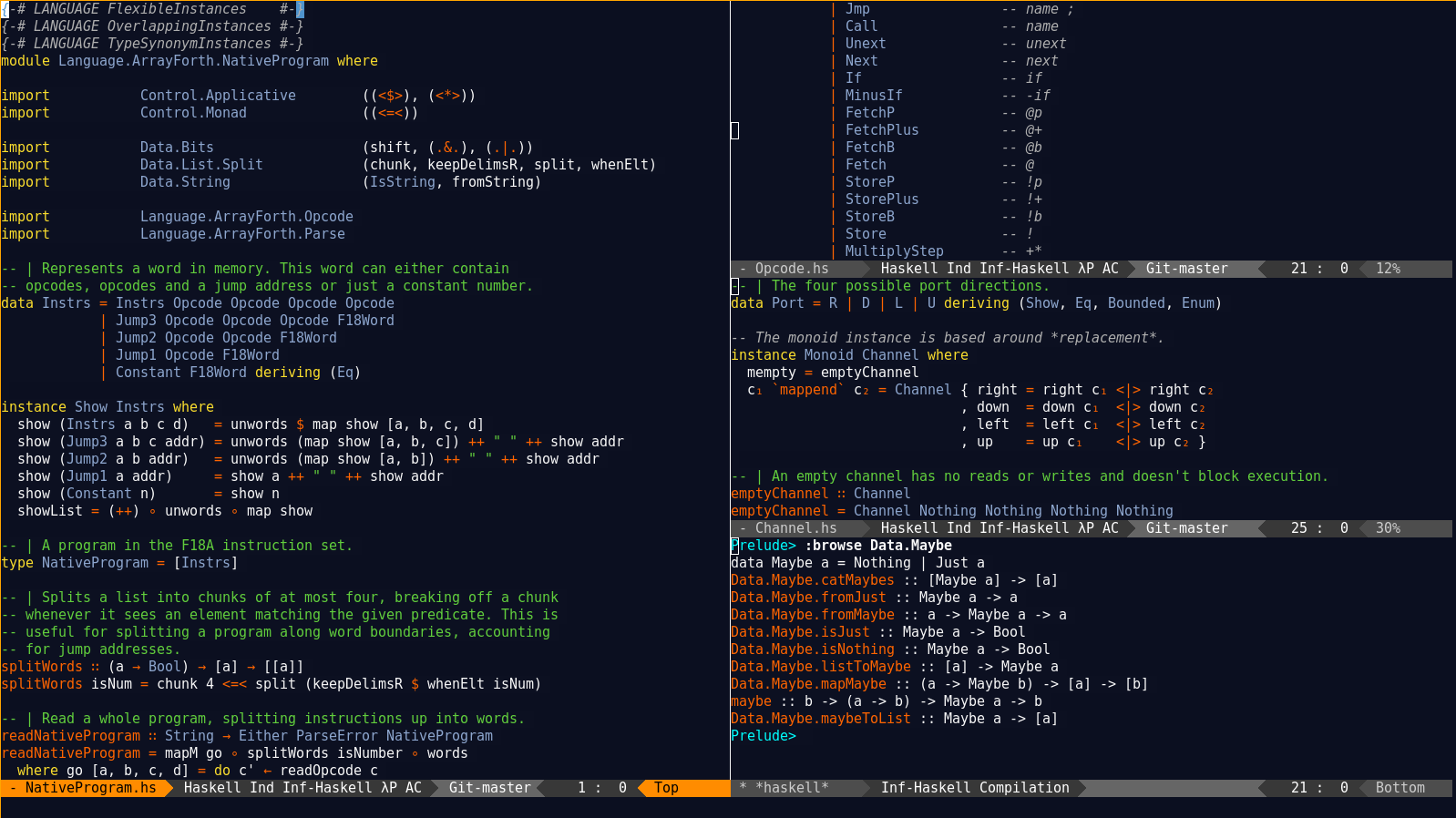
Emacs can already open multiple windows all showing views of the files currently being edited. It's easy to have multiple windows that can be dragged around on the GUI each split into as many panes as desired. I find that one big window split into three or four panes works best for me most of the time.
Being able to split one "window" into multiple panes has become an absolute must for me. Once a file get's longer than the screen's height, it's inevitable to need to go hunt something down that's one screen away from what I'm working on right now.
Most of the developers I work with (including me) already work in this fashion - multiple windows open on the desktop showing (for example) code being edited (usually in an IDE); code open for reference (a 2nd copy of the IDE, or simply notepad/uedit/vim/whatever); scripts (vi/emacs/grep/less); database stuff in another IDE; source control; folders view and usually multiple grep windows. My point being that I pick what they need to use and let the desktop take care of displaying them simultaneously. I'm not sure I can conceive of, or even desire, a single IDE that can handle every scenario that I encounter for me. I think most scenarios are handled by opening another vi/notepad/ide session as needed.
The floating windows reminds me of the text editor called sam. You have floating resizable windows in the editor, one window being a command window to operate on the current buffer text. It's a powerful idiom .
Here's a screenshot: http://en.wikipedia.org/wiki/Sam_(text_editor)#mediaviewer/F...
Note that Emacs' window splitting ability doesn't stop at splitting the editor in two. You can recursively keep splitting as much as you want: when navigating complex code bases it has helped me in the past to have it split into four sections. More splits than that made the displayed sections too small for my taste, and even if you have all those splits right in front of you I personally felt that I had a harder time keeping track of where to look.
I've recently gotten a good XCode workflow going and it feels a lot like this. If I'm exploring code that's new to me, I'll have a tab dedicated to a file with several assistant editors open. An assistan pointed at counter parts and one at callers. If it's something I'm already familiar with my editor will usually look like the classic layout.
There are other IDEs as well, I'm aware of lamdu https://github.com/Peaker/lamdu which is for haskell or at least a very close variant. I'm not a big fan of haskell but I've seen a demo of an early version once and it seemed great.
The only big evolution I see with code editors in the next couple of years is real touch/gesture support. Any attempt to code on a touch device will convince you within 30 seconds that the IDEs of today are not adapted.
Because the job of a code editor is to get out of the way.
You get out of the way by emulating what people know to at least such a degree that they can filter it out easily and concentrate on the task, not the environment.
I didn't think of Cloud9 for that mockup. Cloud9 has two horizontal, tabbed panes, one being for files and the other being for the console (for the out-of-box workspace).


#mediaviewer/File:Sam_text_editor.png)
"forking the current panel using Ctrl+F is a game changer, as you don’t have to scroll away from your current code location when looking up something at a different place in the same file."
A game changer over what? Are there editors that don't let you do this? The two I mostly work in are Emacs and Visual Studio, and you can do this in both. (I'd actually have to hunt around for how to do it in VS, I use both side by side because of a whole lot of Emacs muscle memory, but it's there for sure)
It worries me that he's not actually aware of the features available in the editors he's trying to improve upon.